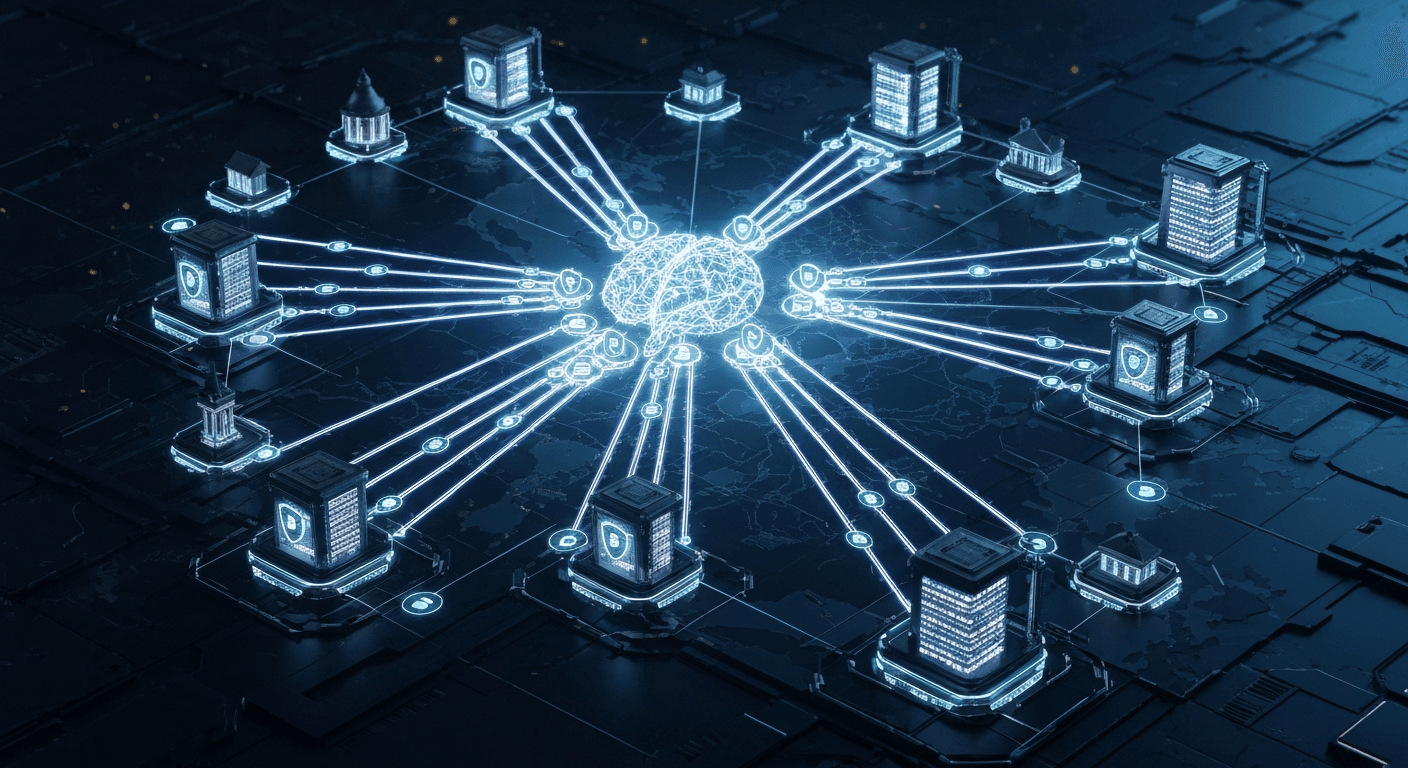
Building a Self-Evolving Knowledge-Based RAG System for Dynamic Production Environments: Strategies for Ensuring LLM Agent Robustness
In an ever-changing production environment, ensuring that LLM agents always provide accurate and reliable answers based on the latest information is no easy feat. This guide goes beyond simple RAG, presenting practical strategies to maximize the robustness of production LLMs by building a system that dynamically updates knowledge, validates its own knowledge, and evolves.
1. The Challenge / Context
We live in an era of LLM-based applications, but successfully operating LLMs in a production environment still presents numerous challenges. In particular, issues such as access to the latest information, accuracy of domain-specific knowledge, and the LLM's inherent hallucination problem have largely been addressed through the Retrieval Augmented Generation (RAG) architecture. However, 'static' RAG systems fail to meet the demands of rapidly changing 'dynamic' production environments.
Business data, including developer documentation, API specifications, internal policies, and market trends, is constantly updated. If a customer support chatbot provides policies from yesterday, or a developer assistant LLM presents already changed API specifications, the system loses credibility. These problems emphasize the need for a new approach that goes beyond merely adopting RAG; the RAG system itself must actively react to changing knowledge, evolve autonomously, and in the process, guarantee the quality and robustness of the LLM agent's responses. Right now, the importance of such self-evolving RAG is growing in all production systems where data change cycles are short and information accuracy directly impacts business.
2. Deep Dive: Core Architecture of a Self-Evolving RAG System
A self-evolving RAG system goes beyond the limitations of traditional RAG, detecting dynamic changes in knowledge sources, efficiently reflecting them in the knowledge base, and ultimately supporting LLM agents in generating robust responses based on the latest knowledge. The core lies in 'continuous updates' and 'self-validation'.
-
Dynamic Data Ingestion Pipeline:
Traditional RAG often involves periodically scanning data sources or manual updates. In a self-evolving system, real-time or near real-time data change events are detected using mechanisms like Git Webhooks, S3 Event Notifications, or database CDC (Change Data Capture) to trigger the knowledge update process. This is the first step in ensuring the 'freshness' of the knowledge base.
-
Incremental Embedding & Vector Store Management:
Re-embedding the entire knowledge base and uploading it to the vector store every time data changes is inefficient. A strategy is essential to identify and incrementally update only changed document chunks, and remove deleted chunks. For this, document versioning, metadata utilization, and partial update capabilities of the vector store are crucial.
-
Knowledge Validation & Augmentation Mechanism:
Beyond simply updating data, this stage involves validating whether the updated knowledge is correctly utilized by the LLM agent and, if necessary, augmenting the knowledge itself. This includes evaluating the validity of search results using LLM-as-a-judge techniques, LLM-based fact-checking of agent responses, and user feedback loops.
-
Intelligent Query Routing & Agent Orchestration:
To efficiently manage diverse knowledge sources and complex reasoning steps, LLM agents are orchestrated through frameworks like LangChain or LlamaIndex. The key is intelligent routing techniques that go beyond simple search, analyzing user queries, selecting the most appropriate knowledge source, and if necessary, rewriting queries to improve search quality.
-
Continuous Monitoring & Feedback Loop:
In a production environment, system performance metrics (response time, accuracy), knowledge base freshness, and agent hallucination rates must be monitored in real-time. Automatic alerts help resolve issues when anomalies occur, and incorrect agent responses or user complaints are utilized as important feedback for knowledge updates and agent logic improvements.
When these elements are organically combined, the RAG system can function not merely as a static knowledge repository, but as a dynamic knowledge engine that adapts to change, learns autonomously, and evolves.
3. Step-by-Step Guide / Implementation
Building a self-evolving RAG system involves multiple stages, and each stage must focus on 'how' to accommodate dynamic changes and 'why' to ensure robustness.
Step 1: Dynamic Data Source Integration and Change Detection
The first step is to automate the connection with data sources that are the origin of knowledge and to build a mechanism to detect changes in those sources in real-time. This is key to maintaining the freshness of the knowledge base.
Principle:
# 예시: Git Webhook 리스너 (Python Flask 기반의 간소화된 예시)
from flask import Flask, request, jsonify
import os
import subprocess
import threading

app = Flask(__name__)

REPO_PATH = "/path/to/your/knowledge_repo" # 실제 Git 리포지토리 경로
INGESTION_SCRIPT = "/path/to/your/ingestion_script.py" # Step 2에서 사용할 인제션 스크립트

@app.route('/webhook', methods=['POST'])
def git_webhook():
    if request.headers.get('X-GitHub-Event') == 'push':
        payload = request.get_json()
        ref = payload.get('ref')
        if ref == 'refs/heads/main' or ref == 'refs/heads/master': # main 브랜치 푸시 감지
            print(f"Git push detected on {ref}. Initiating update.")
            # 백그라운드에서 Git Pull 및 인제션 스크립트 실행
            threading.Thread(target=process_git_update).start()
            return jsonify({"status": "Update initiated"}), 200
    return jsonify({"status": "Ignored"}), 200

def process_git_update():
    try:
        print("Pulling latest changes from Git...")
        # Git pull 실행
        subprocess.run(['git', '-C', REPO_PATH, 'pull'], check=True)
        print("Git pull successful. Starting knowledge base ingestion...")
        # Step 2에서 정의할 인제션 스크립트 실행
        subprocess.run(['python', INGESTION_SCRIPT, '--incremental'], check=True)
        print("Knowledge base ingestion completed.")
    except Exception as e:
        print(f"Error during Git update or ingestion: {e}")

if __name__ == '__main__':
    app.run(port=5000)
Considerations:
Step 2: Incremental Embedding and Vector Database Update
When data changes are detected, only the changed content must be efficiently reflected in the knowledge base (primarily the vector database). Full re-indexing is costly and time-consuming.
Principle:
# 예시: 증분형 지식 기반 업데이트 스크립트 (LlamaIndex & ChromaDB 기반의 간소화된 예시)
import os
from llama_index.readers import SimpleDirectoryReader
from llama_index.node_parser import SentenceSplitter
from llama_index.vector_stores import ChromaVectorStore
from llama_index import StorageContext, ServiceContext, VectorStoreIndex
from llama_index.storage.docstore import SimpleDocumentStore
from llama_index.storage.index_store import SimpleIndexStore
from llama_index.embeddings import OpenAIEmbedding
import chromadb
import hashlib
import json

# 설정
PERSIST_DIR = "./chroma_db"
DATA_DIR = "/path/to/your/knowledge_repo/docs"
EMBED_MODEL = OpenAIEmbedding() # 또는 다른 임베딩 모델

def get_document_hash(doc_content):
    return hashlib.sha256(doc_content.encode('utf-8')).hexdigest()

def incremental_update_knowledge_base():
    # ChromaDB 클라이언트 초기화
    db = chromadb.PersistentClient(path=PERSIST_DIR)
    chroma_collection = db.get_or_create_collection("rag_knowledge_base")
    vector_store = ChromaVectorStore(chroma_collection=chroma_collection)

    # 기존 스토리지 컨텍스트 로드 (또는 새로 생성)
    if os.path.exists(PERSIST_DIR):
        storage_context = StorageContext.from_defaults(
            docstore=SimpleDocumentStore.from_persist_dir(PERSIST_DIR),
            index_store=SimpleIndexStore.from_persist_dir(PERSIST_DIR),
            vector_store=vector_store
        )
    else:
        storage_context = StorageContext.from_defaults(vector_store=vector_store)

    service_context = ServiceContext.from_defaults(embed_model=EMBED_MODEL)

    # 인덱스 로드 또는 새로 생성
    if os.path.exists(PERSIST_DIR) and "default" in storage_context.index_store.index_dict: # 인덱스 ID가 'default'라고 가정
        index = VectorStoreIndex.from_existing(storage_context=storage_context, service_context=service_context)
    else:
        index = VectorStoreIndex([], storage_context=storage_context, service_context=service_context)

    # 새로운 문서 로드
    loader = SimpleDirectoryReader(DATA_DIR)
    new_documents = loader.load_data()

    # 기존 문서 맵 생성 (효율적인 비교를 위함)
    # 실제로는 docstore에서 직접 가져와야 하지만, 예시를 위해 간소화
    existing_docs_metadata = {
        doc.id_: doc.metadata for doc in storage_context.docstore.docs.values()
    }

    # 변경된 문서 처리
    updated_doc_ids = set()
    for new_doc in new_documents:
        current_hash = get_document_hash(new_doc.text)
        doc_id = new_doc.id_ # 또는 파일 경로 등으로 고유 ID 생성

        # 메타데이터에 파일 경로 등을 추가하여 고유성 확보
        new_doc.metadata['file_path'] = new_doc.metadata.get('file_path', 'unknown')
        new_doc.metadata['current_hash'] = current_hash

        is_new = True
        if doc_id in existing_docs_metadata:
            # 기존 문서와 해시 비교
            if existing_docs_metadata[doc_id].get('current_hash') == current_hash:
                print(f"Document {doc_id} is unchanged. Skipping.")
                is_new = False
            else:
                print(f"Document {doc_id} has changed. Updating.")
                # 기존 문서 삭제 (Chunking 때문에 복잡해지므로, 실제로는 청크 단위로 비교)
                # LlamaIndex는 문서 ID를 기반으로 노드들을 관리하므로, 문서 단위 삭제 후 재추가가 간단
                index.delete_ref_doc(doc_id)

        if is_new:
            print(f"Adding new or updated document: {doc_id}")
            # 문서를 노드로 분할
            node_parser = SentenceSplitter(chunk_size=1024, chunk_overlap=20)
            nodes = node_parser.get_nodes_from_documents([new_doc])
            # 노드들을 인덱스에 추가
            index.insert_nodes(nodes)

        updated_doc_ids.add(doc_id)

    # 삭제된 문서 처리 (DATA_DIR에 더 이상 없는 문서)
    for doc_id, metadata in existing_docs_metadata.items():
        if doc_id not in updated_doc_ids:
            print(f"Document {doc_id} is no longer in source directory. Deleting from index.")
            index.delete_ref_doc(doc_id) # 해당 문서에 연결된 모든 노드 삭제

    # 스토리지 컨텍스트 저장
    storage_context.persist(persist_dir=PERSIST_DIR)
    print("Knowledge base incremental update completed and persisted.")

if __name__ == '__main__':
    incremental_update_knowledge_base()
Considerations:
Step 3: RAG Query Routing and LLM Agent Integration
This stage involves enabling the LLM agent to effectively utilize the updated knowledge base. It should be designed so that the agent can determine the optimal search strategy itself, and combine multiple knowledge sources if necessary, beyond simple search.
Principle:
# 예시: LangChain 에이전트와 RAG 검색 도구 통합
from langchain.agents import AgentExecutor, create_react_agent
from langchain_core.tools import Tool
from langchain_core.prompts import PromptTemplate
from langchain_openai import ChatOpenAI
from llama_index.vector_stores import ChromaVectorStore
from llama_index import StorageContext, ServiceContext, VectorStoreIndex
from llama_index.embeddings import OpenAIEmbedding
import chromadb
import os

# Step 2에서 생성된 인덱스 로드
PERSIST_DIR = "./chroma_db"
EMBED_MODEL = OpenAIEmbedding()

def load_knowledge_base_retriever():
    db = chromadb.PersistentClient(path=PERSIST_DIR)
    chroma_collection = db.get_or_create_collection("rag_knowledge_base")
    vector_store = ChromaVectorStore(chroma_collection=chroma_collection)

    storage_context = StorageContext.from_defaults(vector_store=vector_store, persist_dir=PERSIST_DIR)
    service_context = ServiceContext.from_defaults(embed_model=EMBED_MODEL)

    # 인덱스가 존재하지 않으면 빈 인덱스를 반환하거나 에러 처리
    if not os.path.exists(PERSIST_DIR) or "default" not in storage_context.index_store.index_dict:
        print("Warning: Knowledge base not found. Returning an empty retriever.")
        return VectorStoreIndex([], service_context=service_context).as_retriever()

    index = VectorStoreIndex.from_existing(storage_context=storage_context, service_context=service_context)
    return index.as_retriever(similarity_top_k=5)

# RAG Retriever를 Tool로 래핑
retriever = load_knowledge_base_retriever()

def rag_search_tool_func(query: str) -> str:
    """Queries the knowledge base for relevant information."""
    nodes = retriever.retrieve(query)
    # 검색된 노드들을 적절히 조합하여 LLM이 이해하기 쉬운 형태로 변환
    context = "\n\n".join([n.text for n in nodes])
    if not context:
        return "No relevant information found in the knowledge base."
    return context

tools = [
    Tool(
        name="Knowledge_Search",
        func=rag_search_tool_func,
        description="Useful for answering questions about specific internal documents, APIs, or company policies. Input should be a clear and concise query."
    )
]

# LLM 초기화
llm = ChatOpenAI(model="gpt-4o", temperature=0.2) # 또는 다른 LLM 모델

# 에이전트 프롬프트 정의
prompt = PromptTemplate.from_template("""
You are an expert assistant. You have access to the following tools:

{tools}

Use the Knowledge_Search tool to find relevant information before answering questions about internal knowledge.
If you cannot find sufficient information, state that you don't know or that the information is not available.

Use the following format:

Question: the input question you must answer
Thought: you should always think about what to do
Action: the action to take, should be one of [{tool_names}]
Action Input: the input to the action
Observation: the result of the action
... (this Thought/Action/Action Input/Observation can repeat N times)
Thought: I now know the final answer
Final Answer: the final answer to the original input question

Begin!

Question: {input}
Thought:{agent_scratchpad}
""")

# 에이전트 생성
agent = create_react_agent(llm, tools, prompt)
agent_executor = AgentExecutor(agent=agent, tools=tools, verbose=True, handle_parsing_errors=True)

# 에이전트 실행 예시
if __name__ == "__main__":
    response = agent_executor.invoke({"input": "최신 API 버전 3.0에서 사용자 인증 방식이 어떻게 변경되었나요?"})
    print("\n--- Agent Response ---")
    print(response["output"])

    response_no_info = agent_executor.invoke({"input": "회사의 다음 분기 재정 목표는 무엇인가요?"})
    print("\n--- Agent Response ---")
    print(response_no_info["output"])
Considerations:
Step 4: LLM Agent Self-Validation and Feedback Loop
The core of a self-evolving system is to build a feedback loop where the LLM agent validates its own answers and learns from the results to improve. This significantly enhances system robustness.
Principle:
# 예시: LLM 기반의 답변 자체 검증 (간소화된 개념 코드)
from langchain_core.prompts import PromptTemplate
from langchain_openai import ChatOpenAI

llm_evaluator = ChatOpenAI(model="gpt-4o", temperature=0.0) # 평가용 LLM은 낮은 온도로 정확도 중시

def self_validate_agent_response(question: str, retrieved_context: str, agent_answer: str) -> dict:
    """
    LLM 에이전트의 답변을 자체 검증합니다.
    Args:
        question: 사용자 질문
        retrieved_context: RAG 검색을 통해 얻은 원본 지식
        agent_answer: LLM 에이전트의 최종 답변
    Returns:
        { "is_accurate": bool, "hallucination_score": float, "reasoning": str, "suggested_action": str }
    """
    validation_prompt = PromptTemplate.from_template(f"""
    당신은 꼼꼼한 팩트 체커이자 LLM 에이전트의 답변 품질을 평가하는 전문가입니다.
    제공된 '원본 지식'을 기반으로 'LLM 에이전트의 답변'이 '사용자 질문'에 대해 얼마나 정확하고 충실하게 답변했는지 평가해주세요.
    특히, 답변에 환각(hallucination)이 포함되어 있는지, 원본 지식에 없는 내용을 추가했는지, 또는 원본 지식의 내용을 왜곡했는지 면밀히 검토해야 합니다.

    ---
    사용자 질문: {question}
    ---
    원본 지식:
    {retrieved_context}
    ---
    LLM 에이전트의 답변:
    {agent_answer}
    ---

    다음 JSON 형식으로 평가 결과를 출력해 주세요:
    {{
        "is_accurate": true/false, // 답변이 원본 지식을 기반으로 정확한가?
        "hallucination_score": 0.0 to 1.0, // 환각 정도 (0.0: 없음, 1.0: 심함)
        "reasoning": "왜 그렇게 평가했는지에 대한 상세한 설명. 환각이 있다면 구체적인 예시.",
        "suggested_action": "지식 기반 개선, 에이전트 프롬프트 조정 등 향후 개선을 위한 제안 (없으면 'None')"
    }}
    """)

    try:
        response = llm_evaluator.invoke(validation_prompt.format(
            question=question,
            retrieved_context=retrieved_context,
            agent_answer=agent_answer
        ))
        eval_result = json.loads(response.content)
        return eval_result
    except json.JSONDecodeError as e:
        print(f"Error parsing validation response: {e}, Raw response: {response.content}")
        return {"is_accurate": False, "hallucination_score": 1.0, "reasoning": "Failed to parse evaluation response.", "suggested_action": "Review LLM evaluator prompt."}
    except Exception as e:
        print(f"Error during self-validation: {e}")
        return {"is_accurate": False, "hallucination_score": 1.0, "reasoning": "Unknown error during validation.", "suggested_action": "Investigate system error."}


if __name__ == "__main__":
    # 가상의 에이전트 응답 및 컨텍스트
    test_question = "새로운 사용자 인증 방식은 무엇인가요?"
    test_context = "API 버전 3.0부터 OAuth 2.0 기반의 토큰 인증이 도입되었습니다. 기존의 세션 기반 인증은 더 이상 지원되지 않습니다."
    test_agent_answer_accurate = "API 버전 3.0부터는 OAuth 2.0 토큰 인증이 사용되며, 세션 기반 인증은 중단됩니다."
    test_agent_answer_hallucination = "새로운 인증 방식은 지문 인식을 기반으로 하며, 생체 인식이 필수적입니다."
    test_agent_answer_outdated = "기존과 동일하게 세션 기반 인증을 사용하시면 됩니다."

    print("--- Accurate Answer Validation ---")
    eval1 = self_validate_agent_response(test_question, test_context, test_agent_answer_accurate)
    print(json.dumps(eval1, indent=2, ensure_ascii=False))

    print("\n--- Hallucination Answer Validation ---")
    eval2 = self_validate_agent_response(test_question, test_context, test_agent_answer_hallucination)
    print(json.dumps(eval2, indent=2, ensure_ascii=False))

    print("\n--- Outdated Answer Validation ---")
    eval3 = self_validate_agent_response(test_question, test_context, test_agent_answer_outdated)
    print(json.dumps(eval3, indent=2, ensure_ascii=False))
Considerations:
Step 5: Monitoring and Alerting System
No matter how excellent a system is, it is difficult to maintain robustness in production without monitoring. Key performance indicators of the RAG system and LLM agent must be continuously tracked.
Principle:
# 예시: RAG 시스템 핵심 지표 정의 (Prometheus exporter 개념)
# 실제로는 파이썬 코드 내에서 각 단계별 지표를 expose 해야 함

# rag_system_metrics.py
from prometheus_client import Gauge, Counter, Histogram, generate_latest

# 지식 기반 신선도 (타임스탬프)
knowledge_base_last_updated = Gauge(
    'rag_knowledge_base_last_updated_timestamp',
    'Timestamp of the last successful knowledge base update.'
)

# 인제션 파이프라인 지표
ingestion_success_total = Counter(
    'rag_ingestion_success_total',
    'Total number of successful knowledge ingestion cycles.'
)
ingestion_failure_total = Counter(
    'rag_ingestion_failure_total',
    'Total number of failed knowledge ingestion cycles.'
)
ingestion_duration_seconds = Histogram(
    'rag_ingestion_duration_seconds',
    'Duration of knowledge ingestion cycles.',
    buckets=[0.1, 0.5, 1.0, 5.0, 10.0, 30.0, 60.0, float('inf')]
)

# RAG 검색 지표
rag_query_total = Counter(
    'rag_query_total',
    'Total number of RAG queries received.'
)
rag_query_latency_seconds = Histogram(
    'rag_query_latency_seconds',
    'Latency of RAG queries.',
    buckets=[0.01, 0.05, 0.1, 0.5, 1.0, 2.0, 5.0, float('inf')]
)
rag_retrieval_hits_total = Counter(
    'rag_retrieval_hits_total',
    'Total number of RAG queries that found relevant documents.'
)
rag_retrieval_misses_total = Counter(
    'rag_retrieval_misses_total',
    'Total number of RAG queries that found no relevant documents.'
)
retrieved_document_count = Histogram(
    'rag_retrieved_document_count',
    'Number of documents retrieved per query.',
    buckets=[1, 2, 3, 5, 10, float('inf')]
)

# LLM 에이전트 응답 지표
agent_response_latency_seconds = Histogram(
    'rag_agent_response_latency_seconds',
    'Latency of LLM agent responses.',
    buckets=[0.1, 0.5, 1.0, 2.0, 5.0, 10.0, 30.0, float('inf')]
)
agent_accurate_responses_total = Counter(
    'rag_agent_accurate_responses_total',
    'Total number of agent responses rated as accurate by self-validation.'
)
agent_hallucination_score_average = Gauge(
    'rag_agent_hallucination_score_average',
    'Average hallucination score of agent responses over a period.'
)

# 지표 업데이트 예시 함수
def update_ingestion_metrics(success: bool, duration: float):
    if success:
        ingestion_success_total.inc()
        knowledge_base_last_updated.set_to_current_time()
    else:
        ingestion_failure_total.inc()
    ingestion_duration_seconds.observe(duration)

def update_query_metrics(latency: float, hits: bool, num_docs: int):
    rag_query_total.inc()
    rag_query_latency_seconds.observe(latency)
    if hits:
        rag_retrieval_hits_total.inc()
    else:
        rag_retrieval_misses_total.inc()
    retrieved_document_count.observe(num_docs)

def update_agent_response_metrics(latency: float, is_accurate: bool, hallucination_score: float):
    agent_response_latency_seconds.observe(latency)
    if is_accurate:
        agent_accurate_responses_total.inc()
    # hallucination_score는 일반적으로 Gauge보다는 Summary/Histogram으로 장기간 트렌드를 보는 것이 좋음.
    # 여기서는 간단히 Gauge로 평균을 나타내는 예시.
    agent_hallucination_score_average.set(hallucination_score) # 실제로는 Moving Average나 aggregation 필요

# Prometheus exporter 서버 시작 (Flask 등을 이용하여 /metrics 엔드포인트 구현)
# from flask import Flask
# app = Flask(__name__)
# @app.route('/metrics')
# def metrics():
#     return generate_latest(), 200
# if __name__ == '__main__':
#     app.run(port=8000)